Reverse Audio: Reverse Singing
- 4.5
- Rating
- 5.00M
- Installs
- Free
- Price
 Analysis by App-foxy
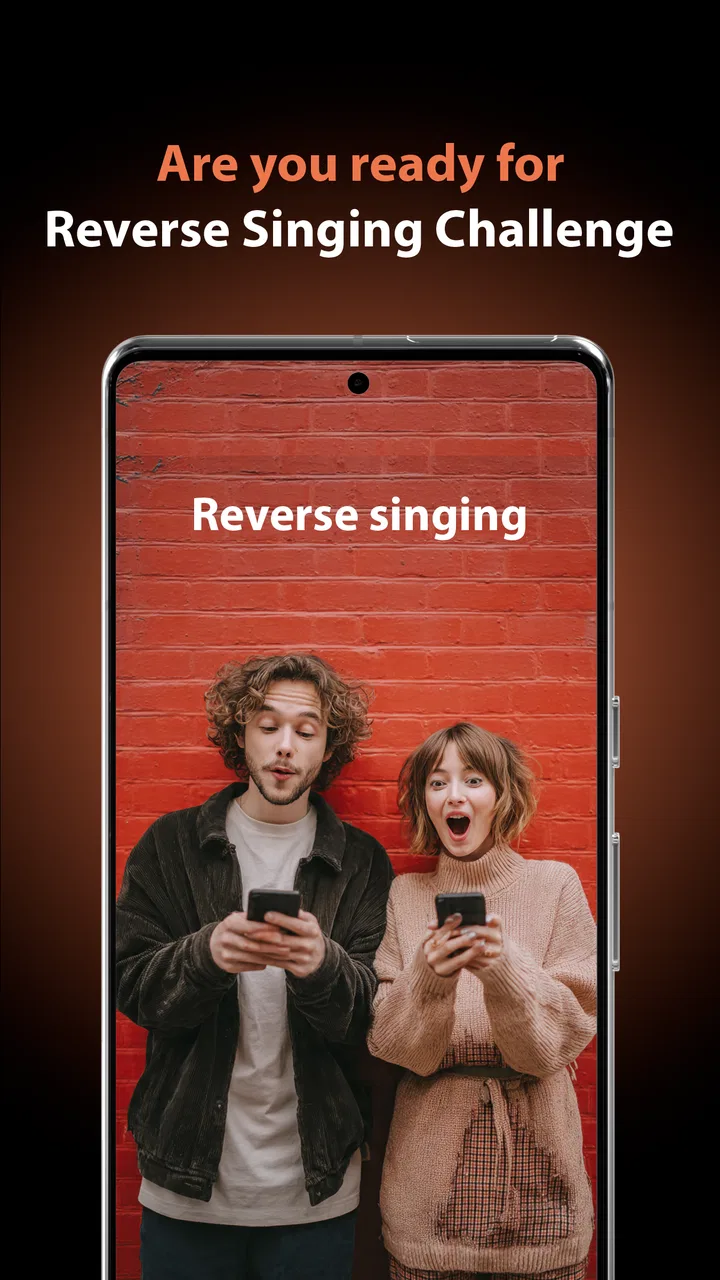
Reverse Audio: Reverse Singing is a small, playful music and audio app from AZ Screen Recorder that turns the familiar act of singing into a listening challenge. I approached it less like a serious recording studio and more like a quick experiment: record a phrase, reverse the audio, and try to work out what the strange result might sound like when played normally. That simple loop is the whole appeal, and it can be surprisingly entertaining with friends.
The app is free to start, aimed at Everyone, and belongs in the music and audio category rather than among full recording suites. It has an average rating of 4.8 from around 22 thousand ratings, with more than a million installs, so it has clearly found an audience for this lightweight idea. My impression is that it works best when you want a short, amusing activity rather than a complete music-production tool.
How Reverse Audio: Reverse Singing feels in everyday use
The first thing I noticed is how quickly the concept makes sense. There is no need to learn a timeline, understand audio editing, or prepare a song project. You sing or speak a short phrase, let the app reverse it, and listen to the result. That low barrier is important because the fun depends on keeping the challenge moving. If every attempt required several editing steps, the joke would lose its energy.
You May Also Like

 Blood Strike: 2.5 Anniversary
Blood Strike’s Loadouts Turn Every Drop Into a Tactical Gamble
A close look at Blood Strike’s custom loadouts: how fast access to signature weapons reshapes its battle royale rhythm, rewards preparation, and narrows the gap between fights.

 Pandora - Music & Podcasts
Pandora’s Music Is Easy to Start, but Harder to Recover
Pandora’s strength is its low-effort path from a seed to a station. Its weak spot is how much confidence it asks you to place in connection, setup, and quiet recovery.

 8 Ball Pool
 Is Built on Rivalries, Rematches, and Routine
A close look at the rivalries, rematches, shared routines, and unanswered safety questions that turn a quick pool match into a persistent mobile community.

 Samsung Music
’s Quiet Strength Is Playing What You Already Own
Its reach comes less from spectacle than from dependable access to a personal library. That simplicity is both the app’s strongest retention engine and its ceiling.

 AccuWeather: Weather Radar
AccuWeather Review: A Quick, Clear Forecast for Everyday Decisions
For everyday plans, the best forecast is the one you can understand quickly. AccuWeather makes rain timing, radar, and local conditions easy to act on, with a few trade-offs.

 Hill Climb Racing
Why Hill Climb Racing Still Turns Crashes Into One More Run
A tiny car, a bumpy hill and one more upgrade: Hill Climb Racing keeps resurfacing because its simple chaos makes every near-miss feel personal.
More From Our News Desk



A realistic use case is a group of friends sitting together after dinner. One person records a familiar lyric or a deliberately silly sentence, reverses it, and plays the result to everyone else. The others then try to reproduce the original phrase. The app gives the group a shared puzzle without requiring musical ability, and the imperfect guesses are often more amusing than the successful ones.
I also found the idea useful for short personal experiments. You can test how a vowel, a whispered word, or a sustained note changes when its order is reversed. That makes the app a gentle introduction to the basic idea of audio reversal. It is not teaching sound engineering in depth, but it gives a direct, audible result instead of burying the effect behind technical controls.
The strongest part of the experience is the short distance between recording an idea and hearing its reversed form. That makes it more approachable than a conventional editor, especially for children, casual users, and people who simply want a quick laugh. The Everyone content rating also fits that broad, uncomplicated use case.
Speed expectations and the value of a short recording
Because the central task is so focused, I would expect the app to feel most responsive when used with brief clips. Short recordings suit the challenge better anyway: they are easier to remember, easier to replay, and less tiring for everyone listening. A long performance may be possible as part of the recording workflow, but it would work against the app’s natural rhythm because the guessing game becomes harder to follow.
My practical advice is to begin with a phrase that lasts only a few seconds. Choose clear words, avoid background conversation, and leave a small pause before and after speaking or singing. That gives the reversed result a cleaner shape and makes it easier to concentrate on the sound rather than on accidental noise. This is not a glamorous trick, but it improves the quality of the challenge more than trying to invent a complicated song.
The app’s current version is 1.1.0, and its focused design suggests a lighter workload than a multitrack recorder or a full audio workstation. Still, perceived speed is not only about processing. The time spent deciding what to record, repeating a failed attempt, and passing the device around can matter more than the transformation itself. Keeping the material short is therefore both a performance-friendly habit and a better way to play.
There is also a useful distinction between reversing a clean vocal and reversing a complete room recording. If several people speak at once, the reversed output becomes difficult to interpret. The app can still be funny in that situation, but it stops being a fair singing challenge. For a more satisfying result, record one voice at a time and treat each attempt as a separate round.
What happens during heavier, repeated use
Repeated use is where a simple novelty app either earns its place or becomes disposable. Reverse Audio: Reverse Singing benefits from short rounds because each one has a natural endpoint. I can imagine using it for ten minutes at a time, making several attempts and deleting the ones that are too quiet, too noisy, or simply impossible to guess.
The main strain in that kind of session is likely to come from the surrounding phone experience rather than from the creative idea itself. Repeated recording, playback, and retakes mean frequent touches, audio output, and storage of temporary material. I would avoid treating it like an always-open recorder during a long rehearsal. It is better suited to bursts of activity, where the phone is used for a challenge and then put away.
A useful workflow is to establish a rule before starting: each player gets one short phrase and one retry. That prevents the app from turning into an endless sequence of nearly identical recordings. It also makes the result easier to compare. If you are using it with children, this structure helps keep the activity moving and reduces the temptation to fill the device with forgotten takes.
Another non-obvious use is to create a “difficulty ladder.” Start with a clearly spoken sentence, move to a familiar lyric, then try a phrase with repeated sounds or a held note. The reversed audio becomes progressively harder to decode, but the progression remains understandable. This gives the app more replay value than simply pressing the same controls without a plan.
For people who want to share the experience, the best material is not necessarily the most polished recording. A slightly exaggerated delivery can make the reversed result easier to recognize, while a quiet or rushed performance may become pure noise. I would prioritize diction and a steady distance from the phone over singing skill. That is a practical strength of the concept: the challenge rewards clarity more than vocal talent.
Reliability, recovery, and the limits of a novelty tool
Reliability matters even in a playful app. If a recording fails, the damage is not a lost professional project, but it can interrupt the moment and make people lose interest. My approach would be to keep important recordings outside the app’s immediate session whenever the device offers a way to preserve them. A funny group attempt is worth keeping only if it can be found again after the challenge ends.
The app should also be judged by how gracefully it handles ordinary mistakes. Users will sing too quietly, stop early, record over background noise, or change their mind halfway through. A good workflow is to accept that failed takes are part of the activity rather than trying to perfect the first recording. Make a short test, listen once, and record again if the voice is unclear.
That recovery habit is more useful here than chasing a perfect performance. The app’s premise depends on experimentation, so a failed attempt can itself become part of the joke. What I would not do is rely on it as the only copy of an irreplaceable recording or use it for a serious vocal archive. Its purpose is quick reverse playback, not dependable long-term audio management.
There is also a reliability issue caused by the environment. A crowded room, a television in the background, or people talking near the phone can make the reversed result much less useful. This is not necessarily a software defect, but it changes the experience dramatically. A quiet corner and one speaker at a time will produce a more intelligible challenge than a noisy party table.
For that reason, I see the app as reliable within a narrow job: capturing a short vocal idea and turning it into a reverse-audio puzzle. I would not extend that judgment to editing, mixing, archiving, or production work because those are different needs. The clearer the user’s expectation, the more dependable the experience feels.
Device constraints and choosing the right alternative
The minimum operating-system requirement is Android 7.0, which keeps the app accessible to many older Android devices. That is helpful for a casual activity because you do not need a recent flagship phone simply to try the central effect. Even so, an older device may have less comfortable playback, weaker microphones, or limited free storage, and those factors can affect the experience more than the app’s basic compatibility.
Before a group session, I would check the phone’s available space and audio output. A nearly full device is a poor place for repeated recordings, while a speaker that is difficult to hear will make the guessing game frustrating. Headphones can help when one person is testing the result privately, but they are less convenient when several people are taking turns.
Battery use is another reason to keep sessions short. The app is not positioned as a demanding production environment, but recording and replaying audio still keep the phone active. If you are planning a long gathering, use it in rounds rather than leaving it open continuously. That is a sensible precaution, especially on an older handset.
Compared with a standard voice recorder, this app offers a much clearer reason to record: the reversal itself creates the activity. A voice recorder is better when you need a straightforward memo, an interview, or an original recording that should remain easy to understand. Compared with a full audio editor, this app is faster to approach but far less suitable for trimming, layering, polishing, or arranging a song.
A general music-making app is the better choice if your goal is composing beats, managing instruments, or building a finished track. A conventional editor is better if you need precise control over sections of a file. Reverse Audio: Reverse Singing wins only when the reverse effect and the social guessing game are the point. Choosing it for professional audio work would create unnecessary frustration.
The developer, AZ Screen Recorder, is associated with a name many users may recognize from screen-recording tools, but this product should be considered on its own terms. Its identity here is a compact music and audio experiment, not a replacement for a screen recorder or a studio application. That distinction helps set realistic expectations before installation.
Who will enjoy it, and who should skip it
I would recommend it to families, friends, casual singers, and anyone who enjoys small party challenges. It is especially suitable for users who want an immediate result without studying audio controls. The broad age rating makes it easy to imagine using it with different age groups, provided the device and recording environment are handled sensibly.
It can also work for educators or activity leaders who want a quick demonstration of how reversing sound changes the order of speech. The most effective lesson would be practical: record a short phrase, listen to the reversed version, and ask participants what clues remain. The app does not need to carry the whole lesson; it simply makes the sound transformation tangible.
I would skip it if you want a serious karaoke companion, pitch correction, vocal effects, or a place to organize a music library. The free entry point is appealing, but the app should not be mistaken for an unlimited professional package. In-app purchases are listed at $13.99 per item, so I would inspect any purchase screen carefully and decide whether the extra value matches your occasional use before spending money.
That price point also changes the recommendation for people who only want to reverse one clip. If the novelty will last for a single evening, the free experience may be enough, while a dedicated editor could make more sense for users who need broader control. The app is strongest when its simplicity is an advantage, not when its limitations are being compared with specialist software.
My performance verdict after weighing the trade-offs
Reverse Audio: Reverse Singing succeeds because it does not ask the user to become an audio technician. Its best performance is perceived rather than measured: the app gets out of the way quickly, supports short experiments, and turns an ordinary voice recording into a game. Keeping clips brief, recording in a quiet place, and using a clear speaking style are the three habits that make the biggest difference.
I would describe it as a focused novelty app with genuine replay value when used socially. It is not the right tool for editing a finished song, preserving important recordings, or replacing a complete recorder. Those limitations are real, but they are also understandable because the product is built around one compact idea rather than a broad collection of studio features.
The free price and accessible Android requirement make it easy to try, while the strong average rating and install count suggest that the concept has connected with many users. The listed version, 1.1.0, keeps the recommendation tied to the current release rather than promising a larger feature set. I would install it for a gathering, a classroom demonstration, or a few minutes of playful experimentation.
My final view is simple: choose this app when the fun is in guessing the original voice, not in producing a polished recording. Used within that boundary, it is quick to understand, easy to share, and more entertaining than its minimal premise might suggest. If your needs extend beyond reverse playback and short singing challenges, a conventional audio recorder or editor will serve you better.
FAQs for Reverse Audio: Reverse Singing
01What is Reverse Audio: Reverse Singing used for?
Reverse Audio: Reverse Singing is an app designed to reverse audio clips, allowing users to listen to their recordings backwards. It's popular among musicians, sound engineers, and anyone interested in experimenting with sound. Users can reverse songs, speeches, or any audio files, making it a fun tool for creative audio manipulation.
02Is Reverse Audio: Reverse Singing free to use?
The app offers a free version with basic features, allowing users to reverse audio files of a limited length. There are in-app purchases available that unlock additional features, such as longer audio processing, higher quality reversals, and ad-free experiences, catering to more demanding users seeking advanced capabilities.
03What are the primary features of Reverse Audio: Reverse Singing?
Reverse Audio: Reverse Singing offers a range of features including reversing entire audio tracks, selecting specific sections of audio to reverse, and adjusting playback speed. The intuitive interface ensures ease of use for beginners, while advanced settings allow audio enthusiasts to fine-tune their reversed sound for perfect results.
04Can I share my reversed audio creations directly from the app?
Yes, the app includes built-in sharing options that allow users to easily share their reversed audio clips on social media platforms or through messaging apps. This feature makes it convenient for users to showcase their creative audio projects with friends and followers without needing additional software.
05Does Reverse Audio: Reverse Singing support all audio formats?
The app supports a wide range of popular audio formats, including MP3, WAV, and AAC, ensuring compatibility with most audio files. However, some less common formats may not be supported. It's recommended to check the app’s specifications or try converting your audio to a compatible format if issues arise.
Pros
- Easy-to-use interface for quick navigation.
- Supports multiple audio formats.
- Fast processing with minimal lag.
- Option to share reversed audio directly.
- Includes basic editing tools.
Cons
- Limited advanced editing features.
- Ads can be intrusive at times.
- No cloud storage integration.
- Reverse effect lacks customization.
- Some features require in-app purchases.

Reverse Audio: Reverse Singing
Gallery